Magic Enhancer

Magic Enhancer
License:
Free
Language:
English
Developer:
OS:
Win98/98SE/Me/2000/XP
Added:
See detailed info

Softonic review

Elena Santos

“Photoshop plug-in to automatically improve your photos”

by Elena Santos about Magic Enhancer

Improving your photos to make them look just perfect can be a lengthy and boring process, especially if you're not very familiar with graphic editors.

Magic Enhancer Lite helps you in these situations by providing you with a quick, easy way to optimize your pictures. This program works as a Photoshop plug-in but don't worry if you're not precisely a Photoshop expert: the plug-in is so easy to use it doesn't require any artistic abilities.

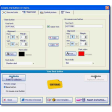
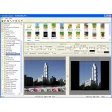
Simply open the photo you want to work with in Photoshop and select the Magic Enhancer Lite option from the plug-ins menu (it's a bit hidden, in Filter > Image Skill). The plug-in will automatically load an optimized version of the photo you just opened, but if you're no happy with it, go ahead and adjust the sliders by yourself until you obtain the result you're looking for.

The difference may not be very noticeable at first sight, but if you click on the image you'll be able to compare the original photo with the optimized one. On the downside, I must say the plug-in has a tendency to close Photoshop once it's done, which I don't know if it's the way it should behave or rather a bug.

With this Photoshop plug-in you don't need to be an expert photo editor to obtain really high quality shots in just a couple of clicks.


Pros
  • Optimizes photos automatically
  • Also lets you fine tune adjustments
Cons
  • Somewhat unstable
Free Download Magic Enhancer Lite

Magic Enhancer is virus free

We have analyzed the latest version of Magic Enhancer with 30 antivirus engines and it is virus free. See analysis results.

TESTED VIRUS FREE - Softonic GUARANTEED

Developer's description

Magic Enhancer is one more Photoshop-compatible plug-in for Windows designed by ImageSkill to help you make your photos better. It can work both with commercial software like Adobe Photoshop, Adobe Photoshop Elements, Corel (Jasc) Paint Shop Pro, Microsoft Digital Image Suite and free like software IrfanView, XnView.

Using Magic Enhancer you can essentially improve your photos adjusting its lightness, contrast and color balance. Magic Enhancer is perfect for enhancement image and photo with lack of lightness or uneven illumination, silhouetted images on dark background. Convenient color temperature control allows fixing color balance defects easily. Plug-in has attractive and user-friendly interface, when in use you can keep an eye result histogram.

Magic Enhancer (1) User reviews

  • Not bad
  • 5/10
  • natsumerio natsumerio
    User reviews
    1

    A graphic's editor that requires you to have another graphic's editor? FAIL!

    They forced me to add more to this review, so stop reading now.... More

    • Review of Magic Enhancer - 15 Apr 2011
      This review is liked by 1 of 1
Your avatar
Review
  1. Maximum: 75 characters

  2. See example

Pros and Cons
Rate
  1. What rating would you give Magic Enhancer?

    You need to fill in all fields

    • Usability:

      Not rated
    • Stability:

      Not rated
    • Installation:

      Not rated
    • Functionality:

      Not rated
    • Appearance:

      Not rated
    • Overall rating:

      Not rated
  2. Don't worry, we won't make your email address public.

You're not allowed to share serial numbers, cracks, etc. or link to pages that contain them. If you do, your user account will be deleted, your IP address logged and legal action will be taken.

Get started - just ask a question!

Write a title for your question.

Alternativesto Magic Enhancer

Compare with Magic Enhancer

Screenshots from Magic Enhancer

Download rank: Plug-ins

7 of 40

Softonic rating:
  • Good
  • 7/10
User rating: (2 ratings)
  • Not bad
  • 5/10
Your rating:
Your rating
  • 0

Review and rate this program

Blog posts about Magic Enhancer

More

Top Downloads: Plug-ins

  • United States
  • Global

  1. Adobe Camera Raw

    Open and edit RAW images in Photoshop

  2. Genuine Fractals
  3. Vertus Fluid Mask
  4. Adobe Photoshop SpeedUp
  5. Topaz DeJPEG Plug-in

Reviews of Magic Enhancer in other languages